
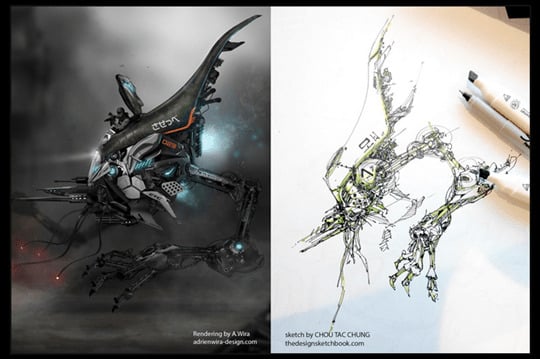
Explore how teamwork enhances creativity through a concept art collaboration between Chou-Tac and Adrien Wira. Combining hand sketches with digital Photoshop techniques, they create compelling designs and share valuable creative insights. Ready to boost your design skills? Learn the collaborative process today!
Category - Photoshop
LEARN 1 TIP A DAY, Photoshop, Sketching Tutorials
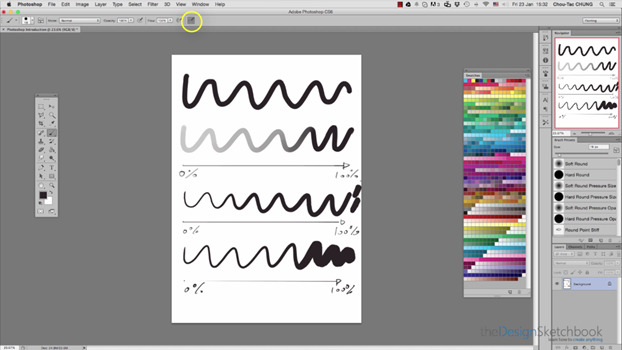
TIP 98 How to Activate Brush Pressure in Photoshop for Opacity and Size
This guide walks you through activating pen pressure settings for opacity and brush size in Photoshop. Understand essential interface tools, shortcuts, and brush customization to make your digital sketches more expressive and natural with your graphic tablet.
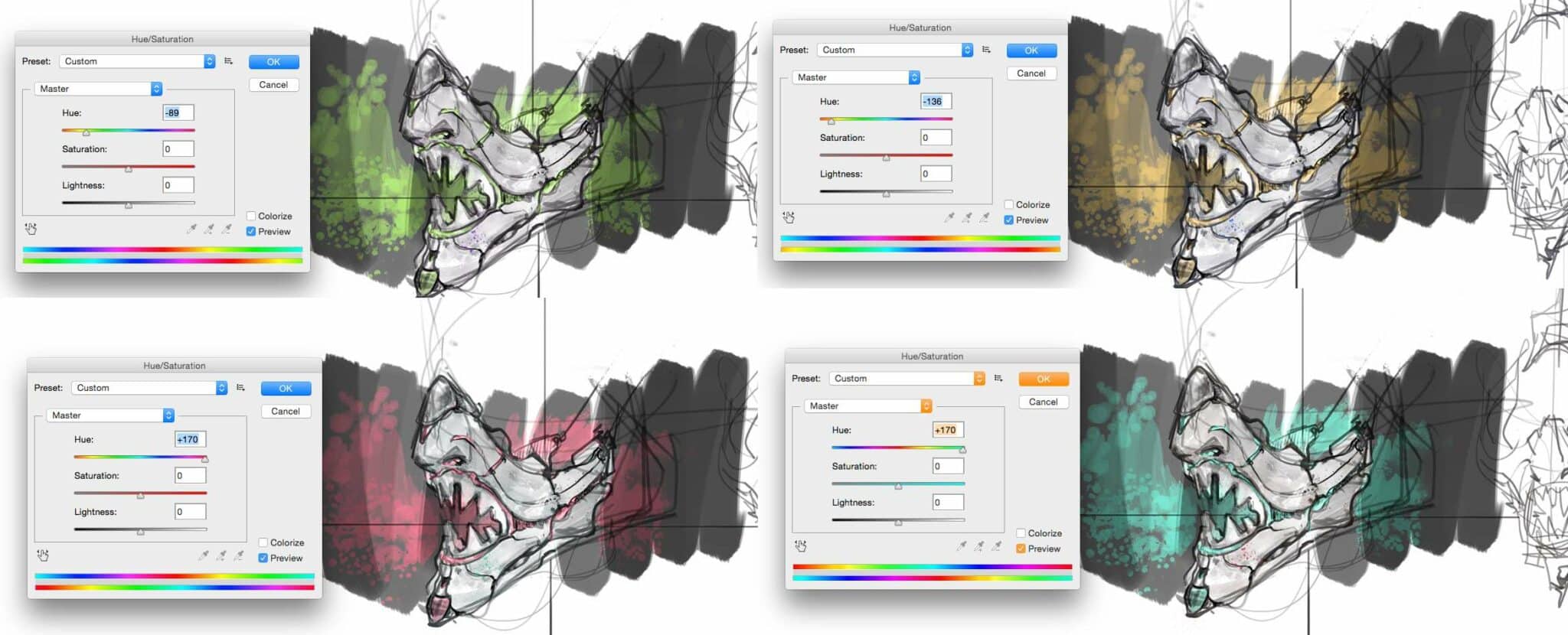
Discover Photoshop tricks to transform your sketch colours in seconds using Hue/Saturation. Explore brush texture tips, background adjustments, and composition ideas tailored for aspiring product designers and creative sketch artists.
Best of, Digital Drawing, LEARN 1 TIP A DAY, Photoshop
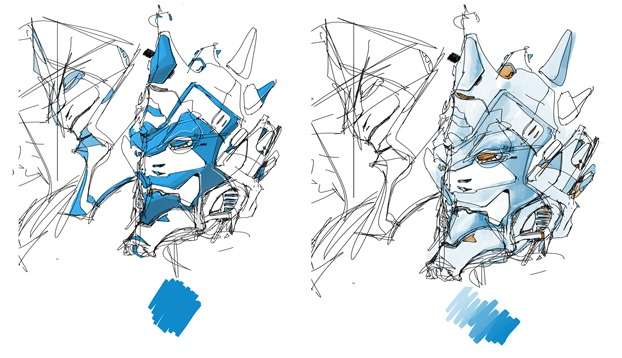
TIP 67 How to Paint in Photoshop Using Pen Opacity Pressure: 3 Easy Steps
Explore Photoshop pen pressure painting in a clear 3-step guide. This article reveals how to add depth and shading dynamically, mix painting styles, and develop your digital painting skills for product design and creative sketches.
Digital Drawing, LEARN 1 TIP A DAY, Photoshop, Sketching Tutorials
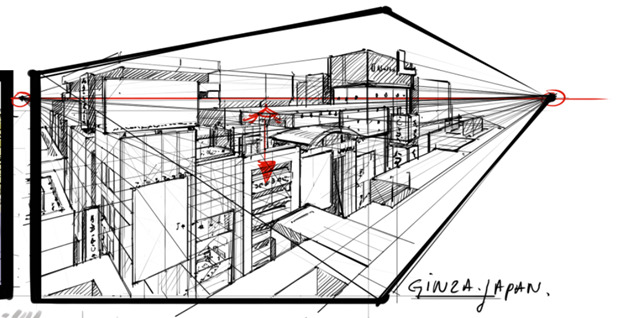
TIP 63 Don’t Skip Drawing Your Perspective Lines: Essential Sketching Tips
Master your sketching by embracing perspective lines! This article explains how horizon lines and vanishing points can boost accuracy and speed in your product design sketches. Get inspired to refine your workflow and create compelling visual stories.
Fast Sketching, LEARN 1 TIP A DAY, Photoshop
TIP 61 | Sketch with Fluid Lines: Unlock Your Creative Flow and Energize Your Designs
Master your sketching by embracing perspective lines! This article explains how horizon lines and vanishing points can boost accuracy and speed in your product design sketches. Get inspired to refine your workflow and create compelling visual stories.
Best of, LEARN 1 TIP A DAY, Photoshop, Shoe Design
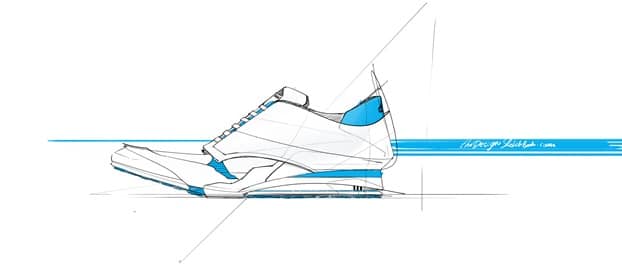
TIP 60 Maximize Your Creativity: Start Sketching on Large Photoshop Canvases
Start your sketching process on a large Photoshop canvas to expand your creative possibilities. This guide shows how to set up and utilize a big workspace effectively, helping you boost accuracy, speed, and inspiration in your product design sketches.
LEARN 1 TIP A DAY, Photoshop, Sketchbook Pro
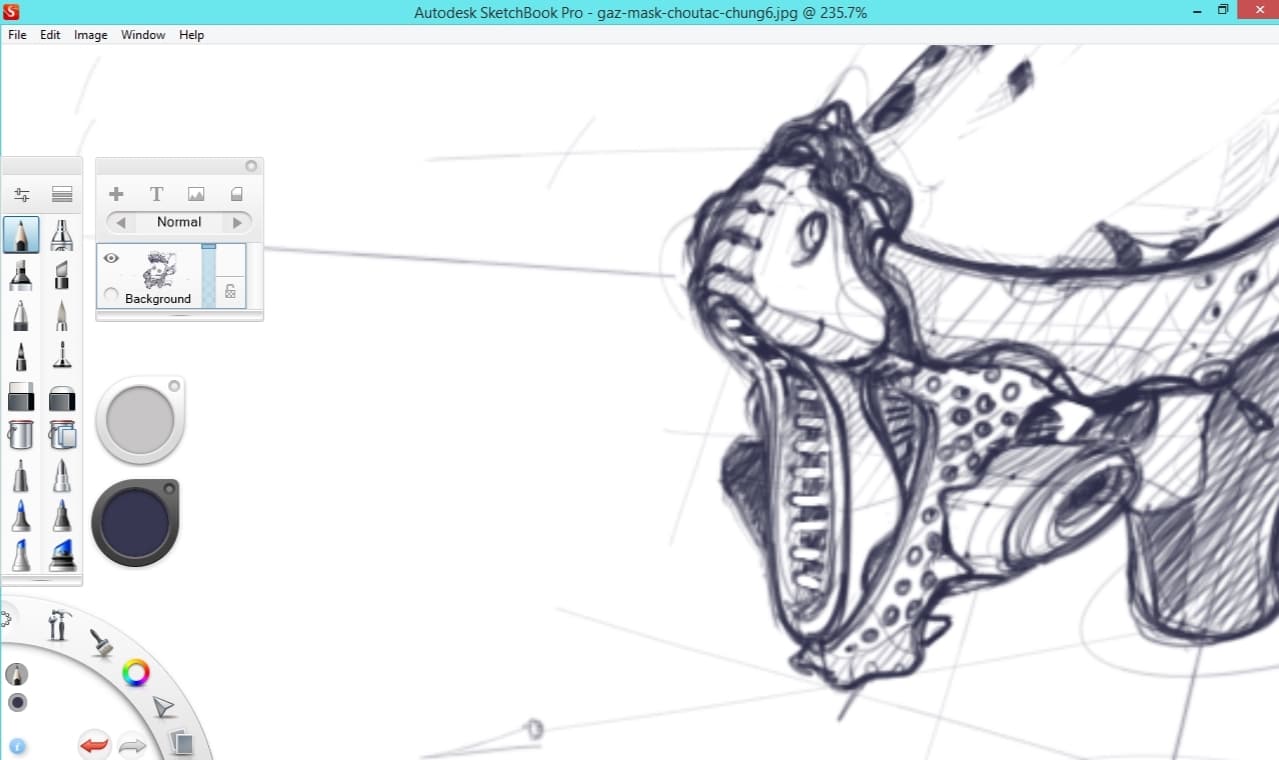
TIP 5 | Set Up a High-Resolution File With Sketchbook Pro
Tired of blurry digital sketches? Start your projects at high resolution with Sketchbook Pro’s easy settings. Discover how planning your canvas with the right dpi brings clarity and professionalism to your drawings. Ready for sharp, dynamic sketches? Set up your files right now!
![How to Draw a Fashion Girl [Nike Tennis Outfit]](https://www.thedesignsketchbook.com/wp-content/uploads/2014/08/How-to-Draw-a-Fashion-Girl-Nike-Tennis-Outfit-in-4-steps-366x205.webp)
Want to capture sporty elegance in your fashion sketches? Follow this quick 4-step tutorial to draw a Nike tennis outfit from body movement to final Photoshop touches. Discover how simple lines and layers bring your designs alive with energy and style. Ready to elevate your fashion art? Let’s draw!
START SKETCHING TODAY!

FREE Sneaker Sketching Book







Recent Comments